> ## Documentation Index
> Fetch the complete documentation index at: https://docs.gdhub.io/llms.txt
> Use this file to discover all available pages before exploring further.
# How to create an open position
> As a project author, you can open positions on your project and choose how you want to cooperate with the people who join your team.
An open position lets people know which roles you are looking for on your project. Once published, it appears on your public project page and in the platform's listings, and we also announce it on our social media channels to reach the most relevant specialists.
In your project settings, complete all the fields and add a cover image, description, and video pitch. This information is shown on every open position you publish, so it helps candidates understand the project and decide whether they want to join.
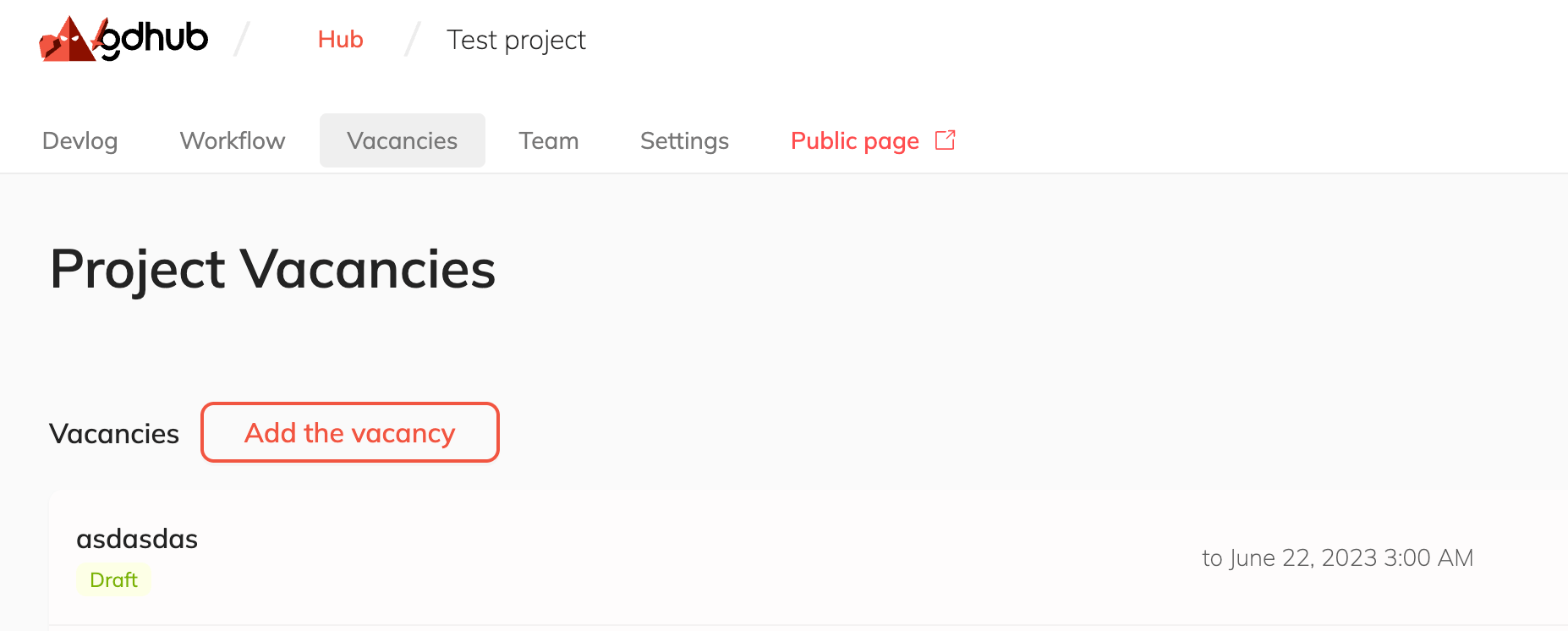
Go to the **Open positions** page of your project and add a new position. Specify the role, required skills, and a clear description of what you expect from the candidate.
 For each open position you decide how you want to work with the person. There are three options — see below.
Positions marked as **Draft** are visible only to you. Click **Publish** to make a position visible to others. You can switch a position back to Draft or archive it at any time, and restore archived positions later if needed.
## Cooperation types
When creating an open position, choose one of three cooperation types depending on what you can offer and what kind of collaboration you are looking for.
No payment is offered. This option is for people who want to gain experience, build their portfolio, and be part of a real project. A good fit for early-stage projects and for specialists who are just entering the industry.
Instead of (or in addition to) payment, you agree on a share — a percentage of the project's revenue or equity. The collaborator becomes invested in the project's success and is rewarded if the game performs well.
A paid position with monetary compensation. Choose this when you have a budget and want to hire a specialist for paid work. Paid listings reach a wider, more professional audience.
You can publish several open positions with different cooperation types at the same time — for example, a paid position for a key role and an unpaid one for contributors who want experience.
## What happens next
As responses come in, review the candidates on the **Open positions** page, contact them, and either accept them into your team or decline if they don't fit.
Learn what to do when someone responds to your open position.
Good luck building your team!
For each open position you decide how you want to work with the person. There are three options — see below.
Positions marked as **Draft** are visible only to you. Click **Publish** to make a position visible to others. You can switch a position back to Draft or archive it at any time, and restore archived positions later if needed.
## Cooperation types
When creating an open position, choose one of three cooperation types depending on what you can offer and what kind of collaboration you are looking for.
No payment is offered. This option is for people who want to gain experience, build their portfolio, and be part of a real project. A good fit for early-stage projects and for specialists who are just entering the industry.
Instead of (or in addition to) payment, you agree on a share — a percentage of the project's revenue or equity. The collaborator becomes invested in the project's success and is rewarded if the game performs well.
A paid position with monetary compensation. Choose this when you have a budget and want to hire a specialist for paid work. Paid listings reach a wider, more professional audience.
You can publish several open positions with different cooperation types at the same time — for example, a paid position for a key role and an unpaid one for contributors who want experience.
## What happens next
As responses come in, review the candidates on the **Open positions** page, contact them, and either accept them into your team or decline if they don't fit.
Learn what to do when someone responds to your open position.
Good luck building your team!